Plugins / Instrument (vocal chopper) ·
Ossuary: a vocal chop plugin that slices at the syllables and tunes every chop to the key
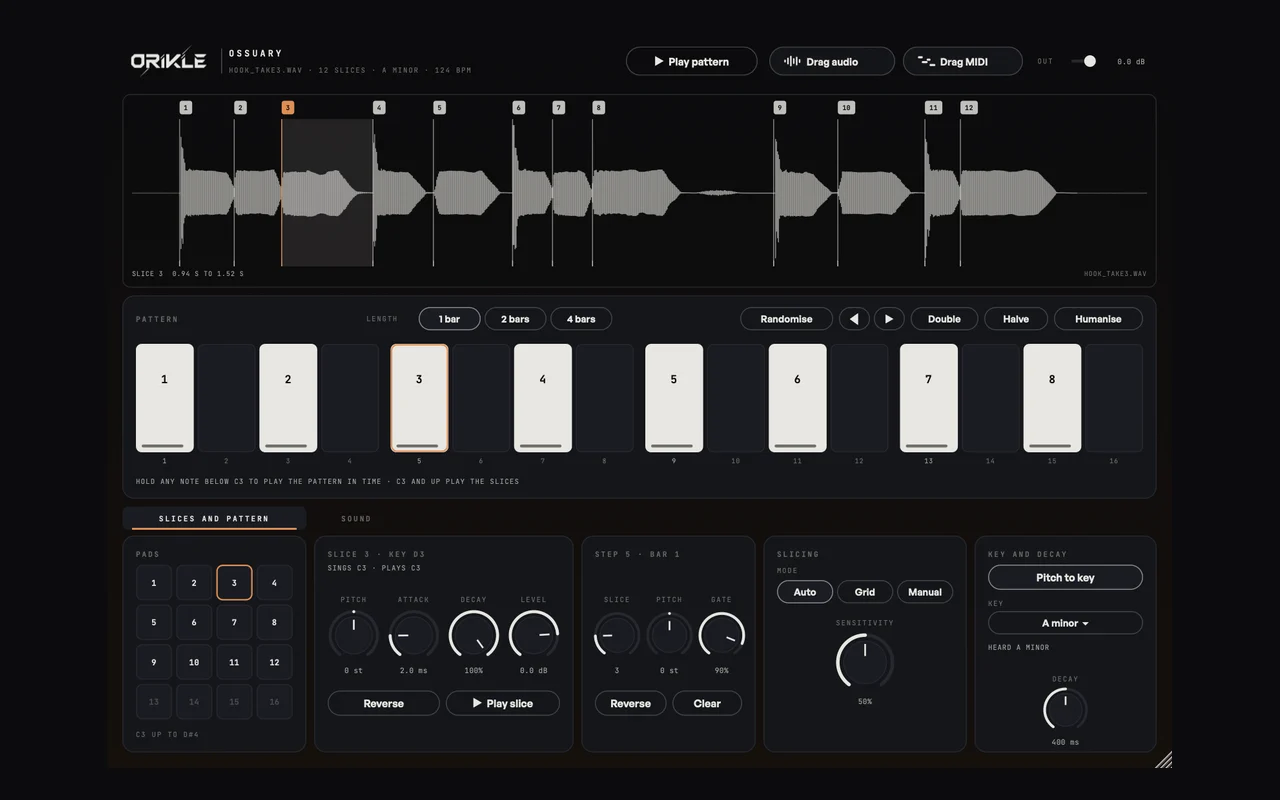
An ossuary is a chamber where bones are arranged in patterns. Mine does it to vocals: drop in a phrase, it cuts it at the syllables, tunes each slice to the key, and plays them from a 16-step pattern locked to Ableton's bars. Then robot, echo, delay and reverb.
- Plugin
- ORIKLE Ossuary
- Type
- Instrument (vocal chopper)
- Formats
- AU, VST3, Mac
- Version
- 0.2
A real ossuary is a room where bones are stacked into patterns: skulls in rows, femurs in arches. It is equal parts beautiful and slightly unsettling, which is exactly what a good vocal chop should be.
Why I built it
Vocal chops are one of the most recognisable sounds in melodic house and tech house. A phrase cut into pieces and played back as a new melody turns a vocal into an instrument, and it is the fastest way to give a track a hook that nobody else has.
The manual way in Ableton is slicing to a Drum Rack, which slices on transients. Vocals do not have transients. Legato syllables flow into each other, soft vowels start from nothing, and the slicer either misses half the words or cuts in the middle of them. Then every chop is slightly out of tune with the track, because singers are human.
I wanted a chopper that hears syllables the way a person does, and tunes each one so the new melody I play is actually in key.
What it does
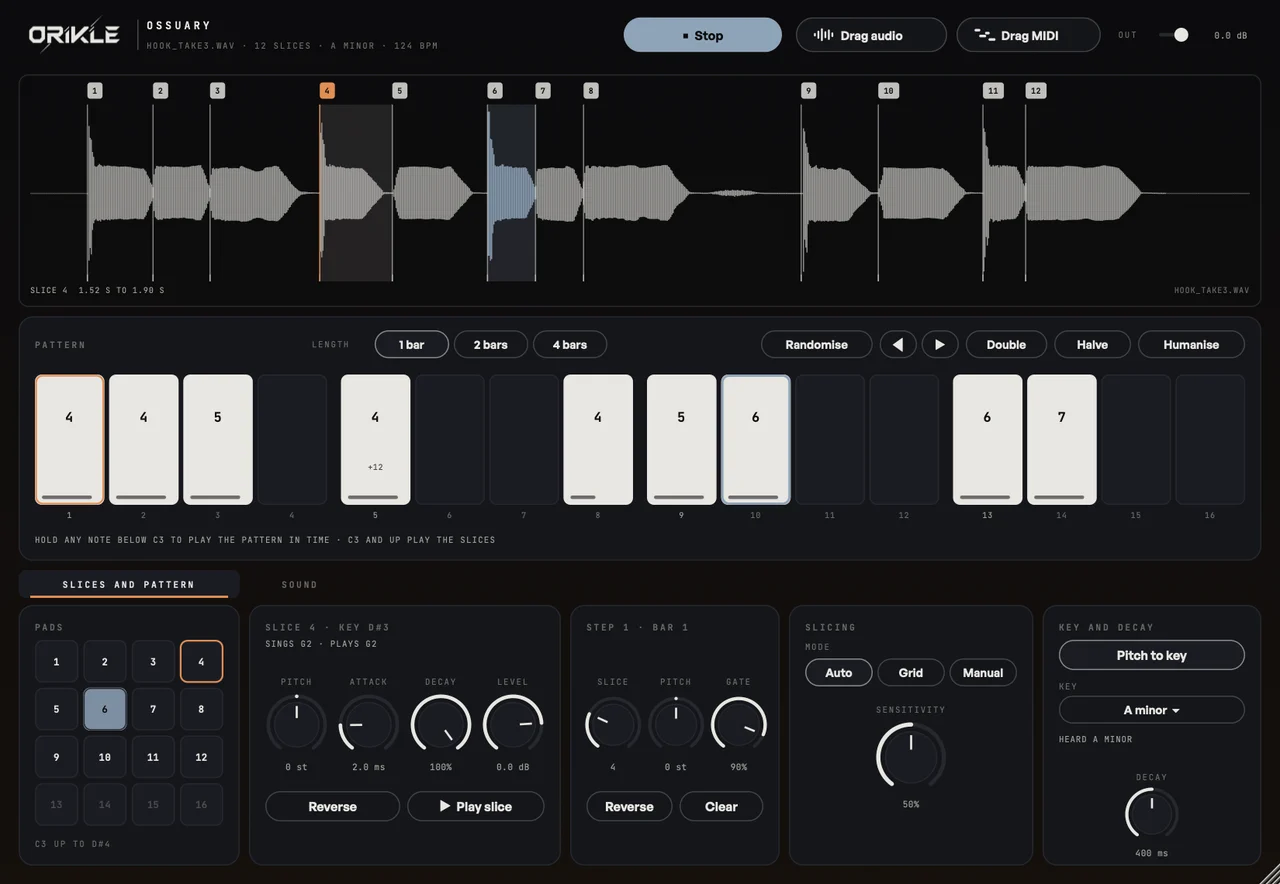
Drop in a vocal (a phrase works best). Ossuary slices it straight away:
- Auto cuts where syllables start, including the legato and soft ones, with a Sensitivity control.
- Grid cuts even slices at the project tempo from the beat the singing starts on.
- Manual lets you drag, add and remove the slice flags yourself.
Pitch to key tunes every slice so the note it sings lands exactly on the nearest note of the key it heard. Each slice gets its own pitch, attack, decay, level and reverse.
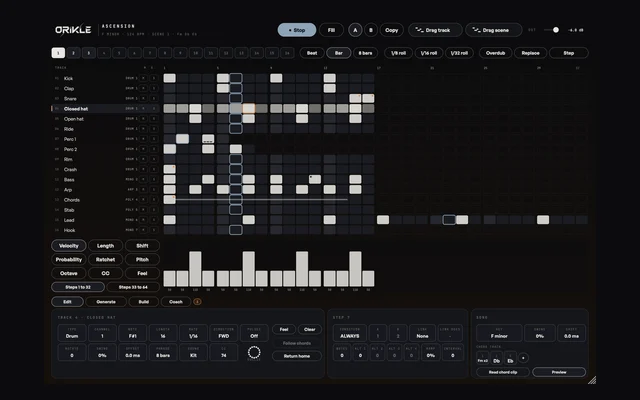
Then play them. Keys from C3 up play slices 1 to 16, the pads do the same with a mouse, and a 16-step pattern (1, 2 or 4 bars) plays them locked to Ableton’s bars. Randomise, shift, double, halve and humanise the pattern when you want ideas.
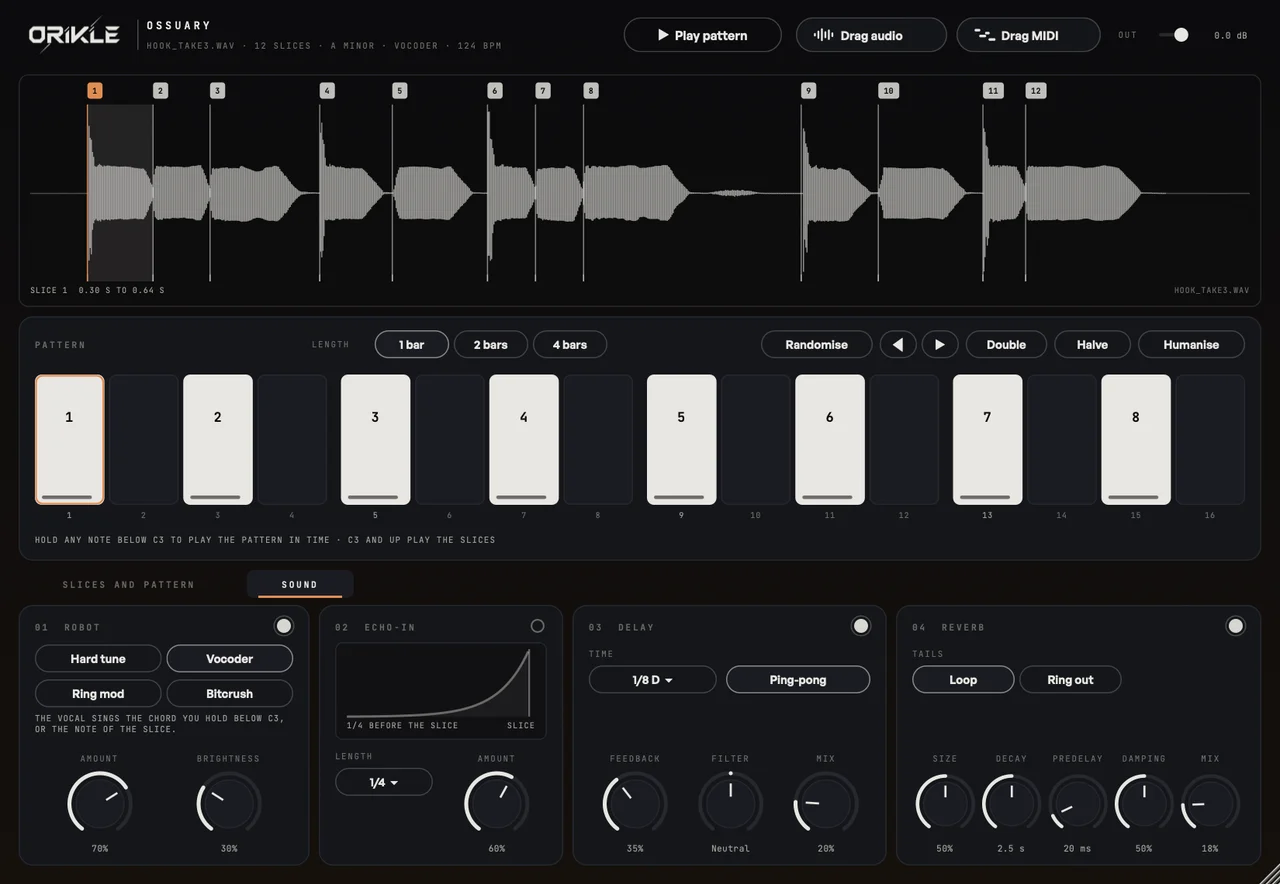
The robot in the crypt
The second page is where the bones start rattling. Hard tune for the snapped pitch sound, a vocoder, ring mod and bitcrush for the robotic textures, Echo-in (a reversed swell that rises into each chop), and a tempo-synced delay and reverb. It is the difference between a chopped vocal and a character.
The benefits
- Chops that cut where the words are. Syllable detection built and tested on real sung vocals, not drum hits.
- Every chop in key. Play any melody from the slices and it is in tune with the track.
- A pattern locked to your bars, so the hook sits in the groove from the first play.
- Your vocal lives in the set. Saved inside the Ableton project, so the chops still work if the file moves.
- Drag audio or drag MIDI. Commit the sound, or keep the pattern as MIDI that triggers the slices.
How I use it on a track
I take the vocal’s best phrase, Auto slice it, and play a new four note figure from the slices on the keyboard until something sticks. Then I put that into the pattern, add a touch of Echo-in and a dotted delay, and it becomes the hook for the breakdown. The original vocal stays for the chorus, and the chop becomes the thing people hum.
The honest bit
It is a chopper, not a vocal tuner for a lead take. Pitch to key snaps each slice to a note, which is the sound you want for chops and exactly the sound you do not want on a heartfelt verse. No bones about it: use it for the hook, not the ballad.
Questions about Ossuary
+ What does ORIKLE Ossuary do?
It slices a vocal into up to 16 chops at the syllables (or on a grid, or by hand), tunes each chop to the nearest note of the key, and plays them from the keyboard, pads, or a 16-step pattern locked to Ableton's bars. A second page adds Hard tune, a vocoder, ring mod, bitcrush, echo-in, delay and reverb. Results drag out as audio or as MIDI.
+ How does it find the syllables?
It listens for where each syllable starts, including legato syllables and soft starts that never drop to silence, and a Sensitivity control finds more or fewer. Grid mode cuts even 1/4, 1/8 or 1/16 slices instead.
+ Will the chops be in key?
Yes. Pitch to key is on by default: it hears the key of the vocal and tunes each slice so the note it sings lands on the nearest note of the key. Breaths and consonants have no clear note, so they are left alone.
+ Can I buy Ossuary?
Not yet. I built it for my own records. DM the word OSSUARY to @orikle_music on Instagram if you want to know more or try it.