Plugins / Instrument (MIDI generator) ·
Reincarnate: a MIDI variation plugin for Ableton that keeps the soul of your idea
Same soul, new body. Give Reincarnate a lead, bassline or chord part and it hands back fresh takes in the same key and feel, then Evolve stretches a 4 bar loop into 16 or 32 bars of call and response.
- Plugin
- ORIKLE Reincarnate
- Type
- Instrument (MIDI generator)
- Formats
- AU, VST3, Mac
- Version
- 0.1
You know the feeling. You have a hook that is nearly there, you have looped it 400 times, and now you cannot hear it at all. Your brain has filed it under furniture.
Reincarnate is my answer to that. Same soul, new body: the idea comes back from the dead, recognisably itself, but wearing something different.
Why I built it
Melodic techno runs on repetition, but it is repetition that moves. A lead that plays the same four bars for three minutes is a loop. A lead that answers itself, shifts a note here, pushes a rhythm there, and resolves on the last phrase is a record.
I could write the first four bars. What I kept struggling with was bars 5 to 32: keeping the identity of the hook while making it develop. Copying and nudging notes by hand works, but you are always nudging in the same directions, because they are your habits.
I wanted a second pair of hands that knows my key and my feel but does not share my habits.
What it does
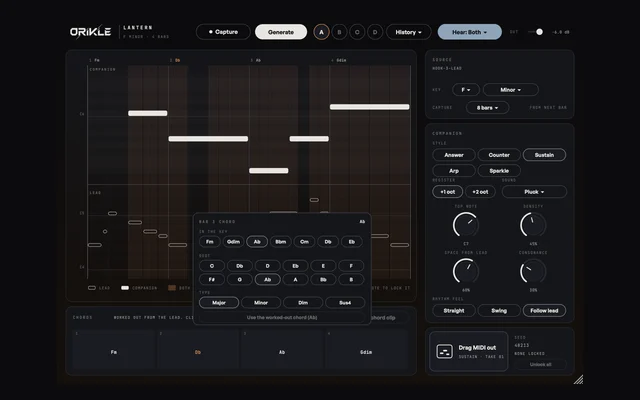
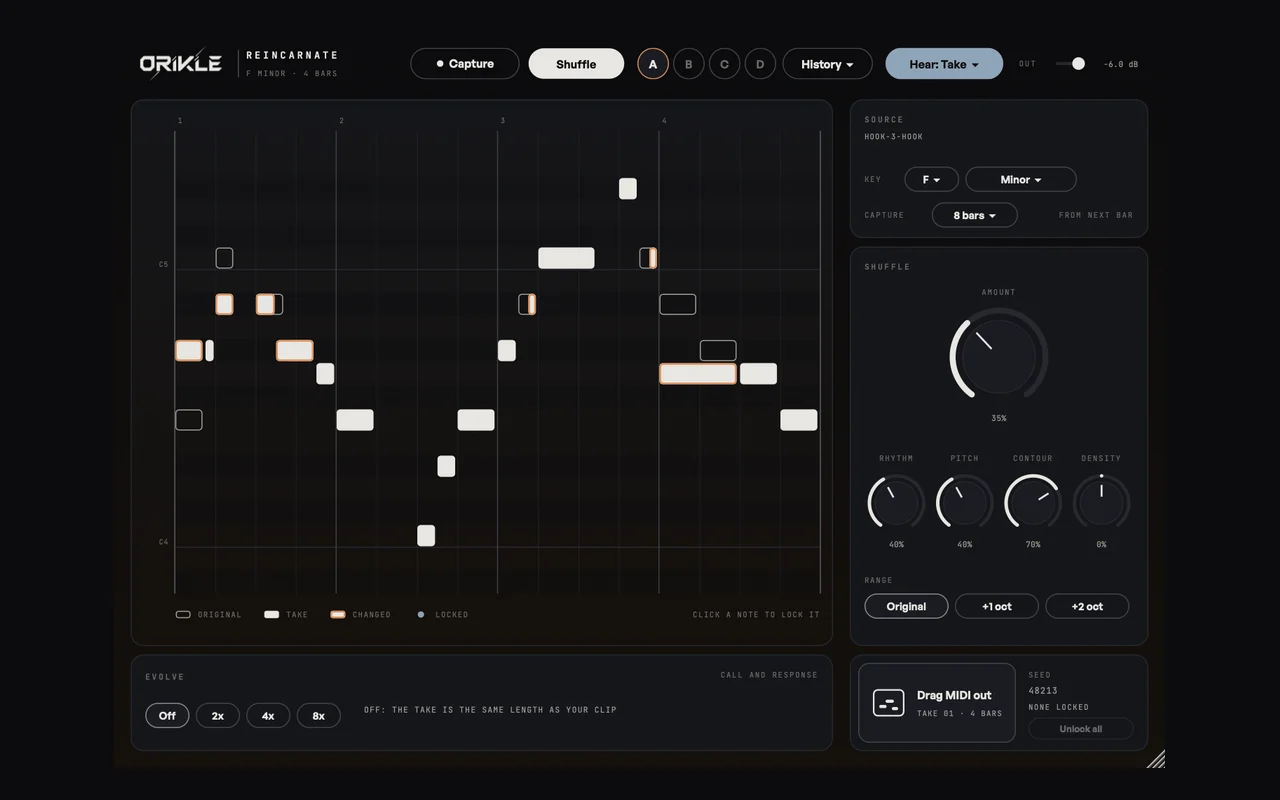
Get a clip in by pressing Capture and playing it, or drop a .mid file in. Reincarnate reads the key (and shows a CHECK chip if the key could be read two ways, so you can pick).
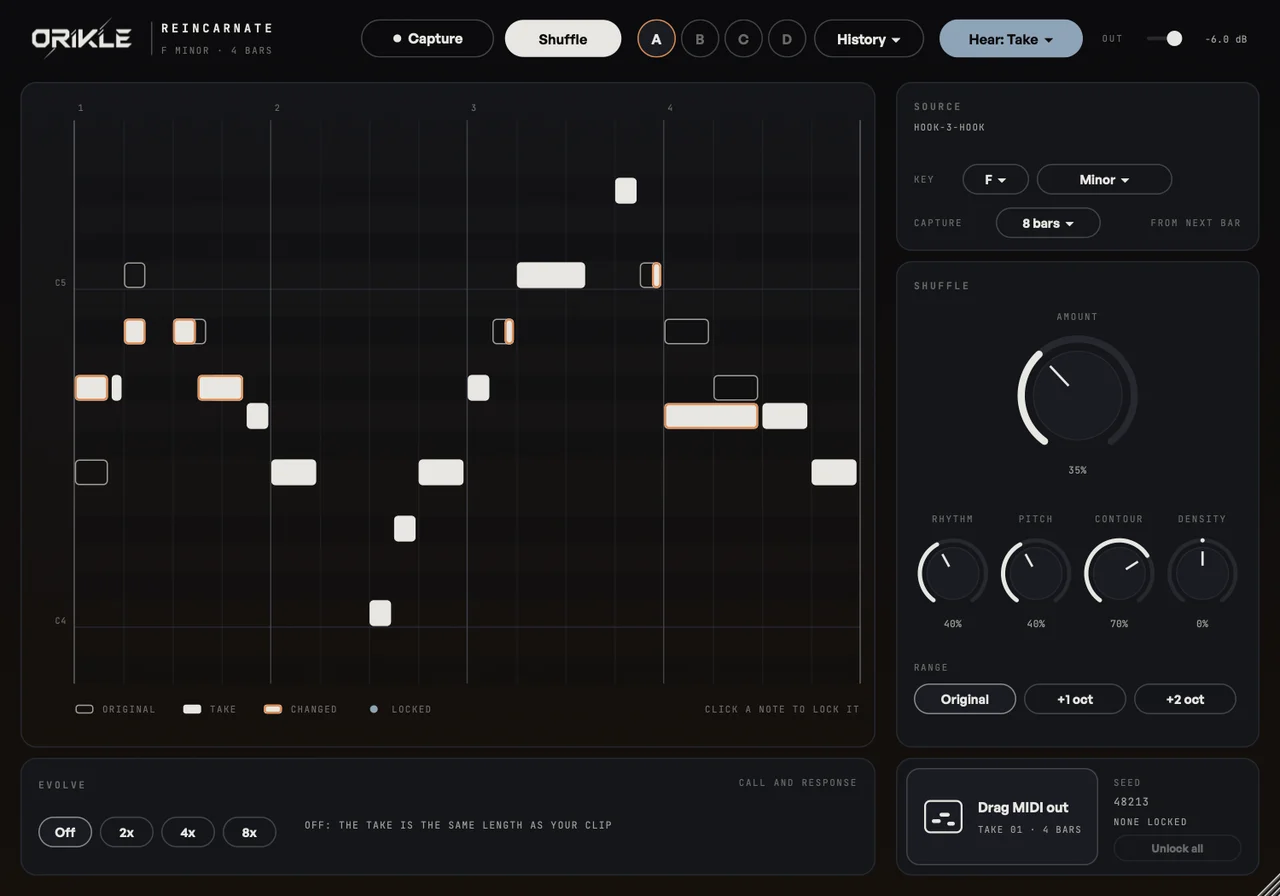
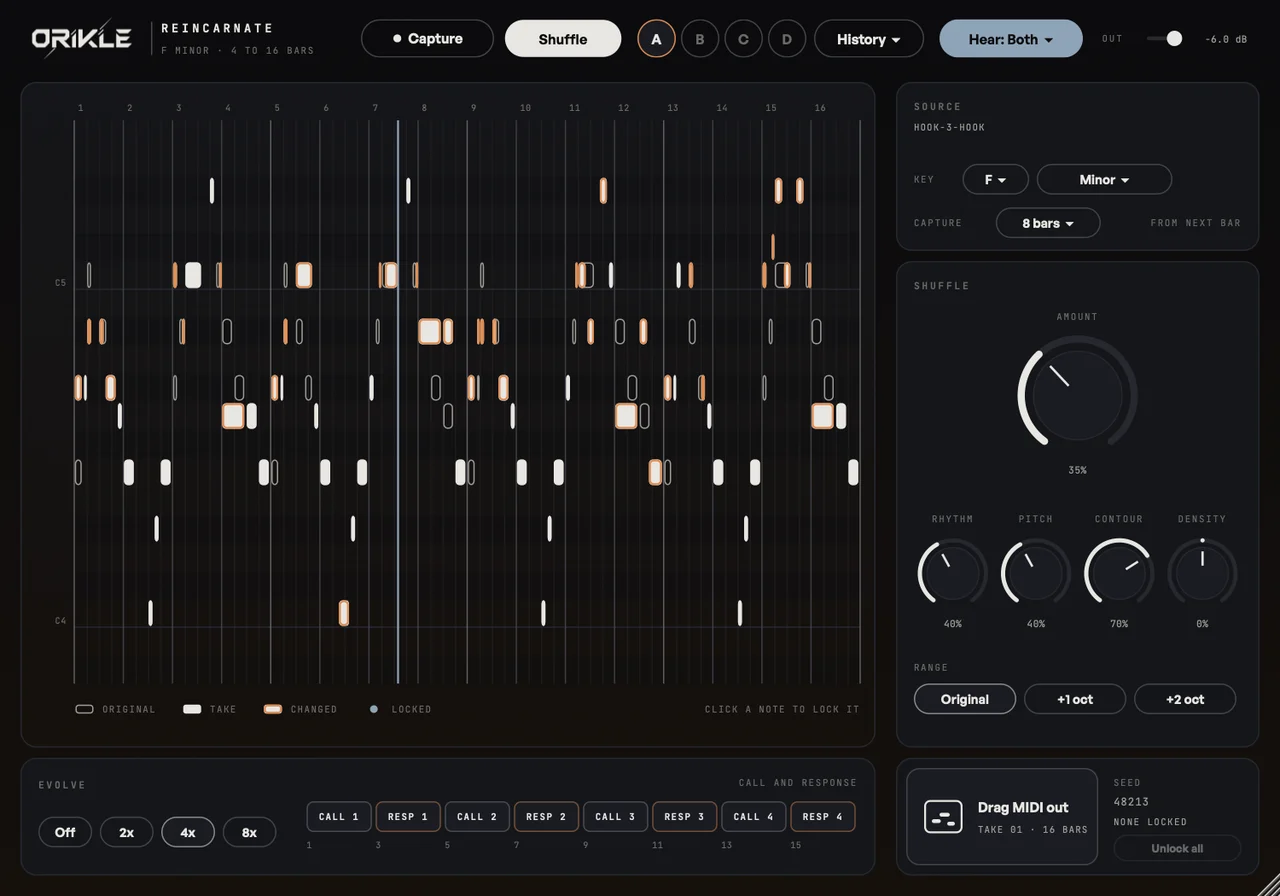
Then press Shuffle. Each press makes a new take, and the knobs decide how far it travels:
- Amount: how far from the original. At 0% it is your clip, untouched.
- Rhythm: moves, splits and joins notes inside the groove.
- Pitch: swaps notes for other notes in the scale.
- Contour: how closely the up and down shape is kept. This is the bit that keeps the soul.
- Density: thinner or busier.
- Range: stay in the original’s range or open up an octave or two.
Four slots (A to D) to compare takes, a history of the last 32 so nothing good is lost, and you can lock notes so they survive every shuffle. Lock the first note of the hook and the last, shuffle the middle, and it still sounds like your song.
Evolve is the real trick
Evolve takes a 4 or 8 bar idea and extends it 2x, 4x or 8x as call and response. The first half of the clip calls, the second half answers. Every pair changes a little more than the last, the answers resolve, and the first and last bars stay recognisable so the phrase still lands.
That is the arrangement problem I could not solve by copy and paste: development without losing the plot.
The benefits
- Fresh ears in one click. Hearing your hook back slightly different breaks the 400th loop spell instantly.
- It never leaves the key. Every take is in the scale it detected, so there are no happy accidents that are actually just wrong notes.
- Tweak without losing it. Moving a knob re-renders the same take with the same seed, so you shape the one you liked instead of rolling the dice again.
- Drag MIDI out. The take goes straight onto a clip slot. Your synth, your sound, my plugin only touched the notes.
How I use it on a track
I write the hook, capture it, and shuffle at about 30 to 40% with Contour high. I am not looking for a new hook. I am looking for the answer phrase I did not think of. When one sticks, I lock the notes that make it mine and Evolve 4x for the breakdown. It is the most fun you can have with a skeleton of an idea.
The honest bit
It does not write your hook. If you give it nothing, it gives you a very well organised nothing. It is a variation engine, and the soul still has to come from you. That is rather the point of the name.
Questions about Reincarnate
+ What does ORIKLE Reincarnate do?
It takes a MIDI clip (a lead, bassline, chord part or topline) and makes new takes on it in the same key and feel. Amount sets how far each take strays from the original, with separate control of rhythm, pitch, contour, density and range. Evolve extends a 4 or 8 bar idea into 16, 32 or 64 bars of call and response, and the take drags straight back into Ableton as MIDI.
+ Is it random?
No. Every note stays in the key it detects, the contour can be kept as tightly as you like, and at 0% you get your original back. Each take has a seed, so moving a knob reshapes the take you like instead of throwing it away.
+ How do I get a clip into it in Ableton?
Either press Capture and play the clip (it records from the next bar line), or export the clip as a .mid file and drop it onto the piano roll.
+ Can I buy Reincarnate?
Not yet. I built it for my own records. DM the word REINCARNATE to @orikle_music on Instagram if you want to know more or try it.