Plugins / Audio effect (track tag) ·
Toe Tag: the plugin that tells my mastering tool which track is which
A toe tag says who each body is. Put Toe Tag on each track in Ableton and Afterlife Master knows which one is causing the problem: the bass taking over the drop, the vocal drowned by the lead synth, the crash making the peaks.
- Plugin
- ORIKLE Toe Tag
- Type
- Audio effect (track tag)
- Formats
- AU, VST3, Mac
- Version
- 0.1
In Red Dwarf, Holly breaks the news to Lister after three million years: “Everybody’s dead, Dave.” Mixing a busy techno track can feel the same. Something is wrong in the drop, everything is playing at once, and you have no idea who did it.
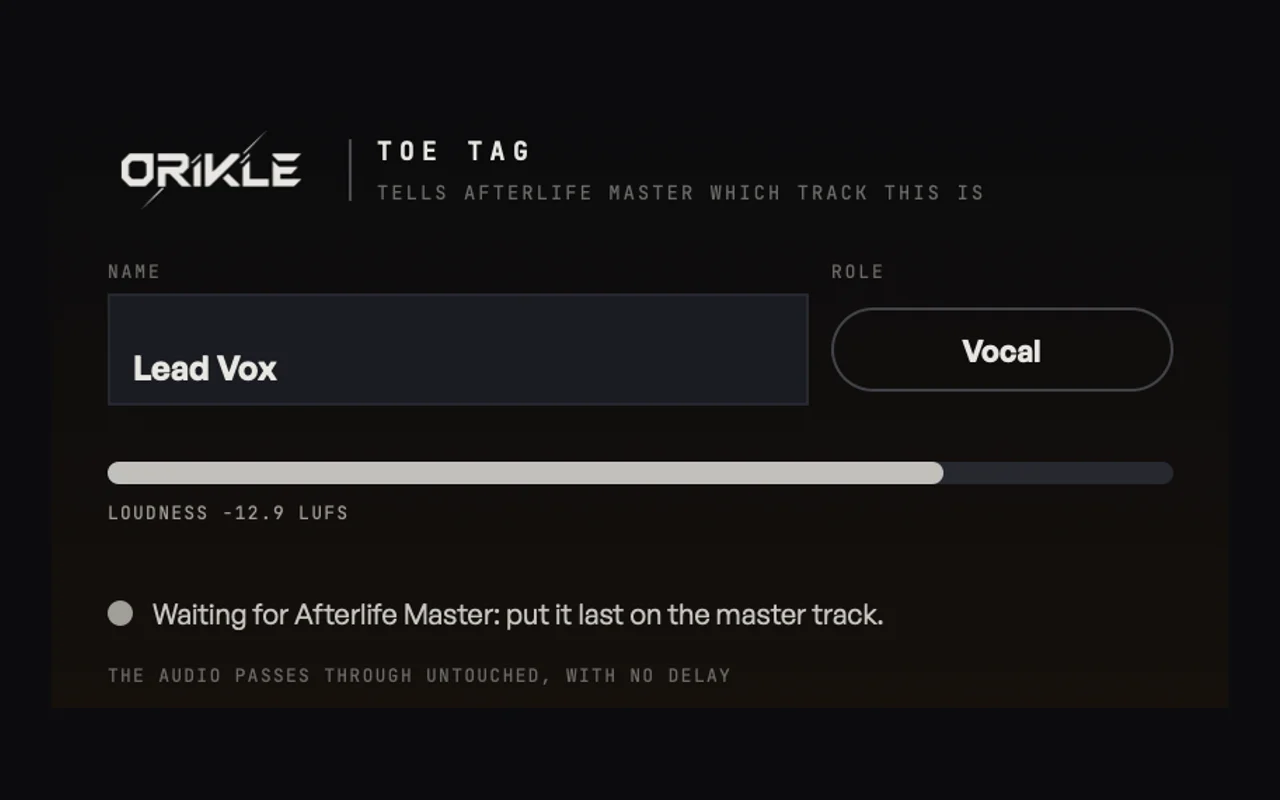
Toe Tag is the morgue’s paperwork. One on each track, so when Afterlife Master finds a body, it knows whose it is.
Why I built it
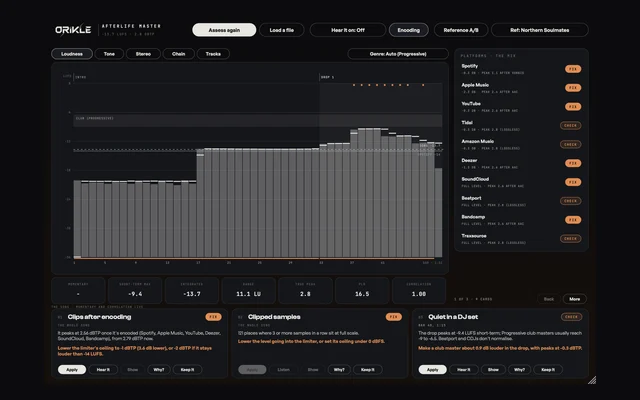
Afterlife Master listens to the whole mix on the master track. It can tell me the low end takes over in bars 37 to 40, but a stereo mix cannot tell it whether that is the kick, the bass, or the pad with too much low end that I forgot to high-pass. Guessing from the mix is what other mastering tools do, and they guess.
Plugins in Ableton cannot see each other’s audio. So the answer was a messenger on every track: something tiny that measures its own track and reports in, in time with the song.
What it does
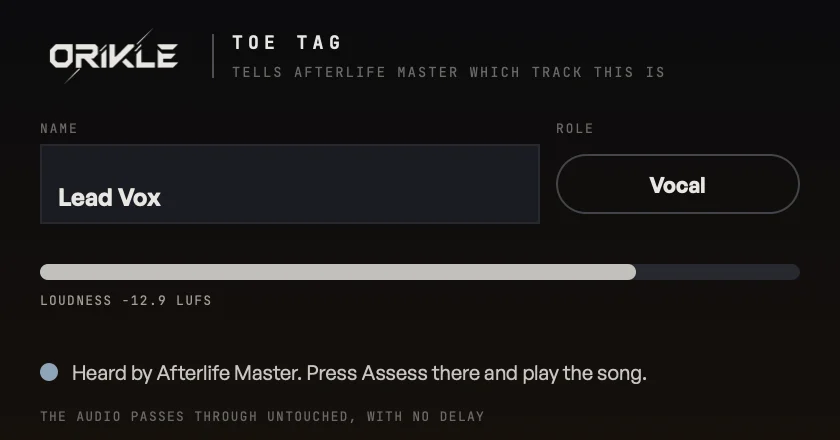
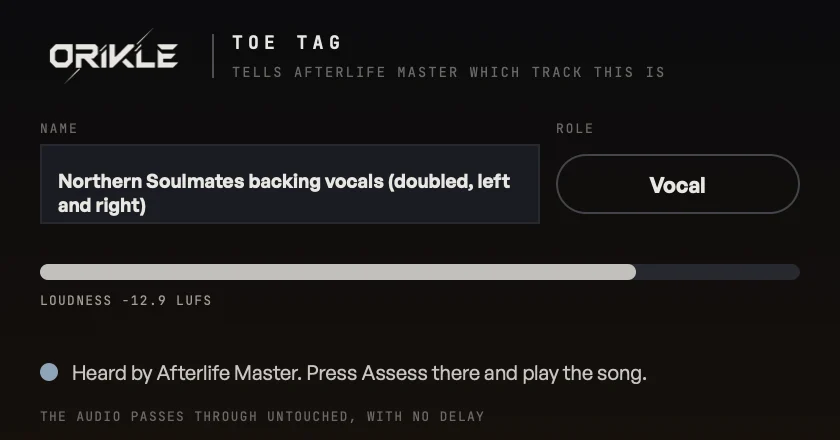
- Passes the audio through untouched, sample for sample, with no delay. It only measures.
- Takes its name from the track. Rename the track in Ableton and the tag follows. Or type your own.
- Guesses the role from the name: Kick, Bass, Vocal, Lead, Pads, Chords, Drums, Percussion, FX or Other. The vocal, the kick and the bass get their own checks in Afterlife Master.
- Reports every 100 ms: loudness, 8 bands, width, low end and peaks, stamped with Ableton’s song position so it lines up with the master bar for bar.
- Stays on your Mac. Tags and the master meet in a small shared file, one per Ableton session. Up to 64 tags.
What it unlocks in Afterlife Master
With tags on, the cards stop describing symptoms and start naming suspects:
- “Mostly the Bass (62%)” on the bass taking over.
- One track takes over the drop.
- Never heard: a track that is there but buried, so either fix it or mute it and save the CPU.
- The true peaks come from the Crash.
- The vocal is drowned, by the Lead synth, or the vocal sits on top of the mix.
- The kick and the bass hit together instead of taking turns.
No tags? A folder of exported stems does the same job.
The benefits
- Find the cause, not just the symptom. The difference between “the low end is heavy” and “the pad is putting 40% of the low end into the drop”.
- Zero cost to the sound. No latency, no colour.
- No setup. It names itself from the track.
- Big sets are fine. Up to 64 tags, and two Ableton sets open at once never cross the streams.
How I use it on a track
On every track and group that matters (kick, bass, vocal, lead, pads, the main percussion bus), last on the chain so it measures what the track actually sends. Afterlife Master on the master, Assess, play. Then I fix the mix at the source, which is always better than fixing it in the master.
The honest bit
It does nothing on its own. A toe tag without a morgue is just a label on a foot. It needs Afterlife Master on the master track to be useful, and that is all it is meant to be.
Questions about Toe Tag
+ What does ORIKLE Toe Tag do?
It is a tiny pass-through plugin for each track or group in Ableton Live. It leaves the audio untouched with no delay, and every 100 ms it tells ORIKLE Afterlife Master on the master track what its track is doing: loudness, 8 frequency bands, width, low end and peaks, stamped with the song position. That lets Afterlife Master name the track behind each problem it finds.
+ Does Toe Tag change my sound or add latency?
No. The audio passes through sample for sample with no delay. It only measures.
+ How does it know the track's name?
Ableton tells the plugin its track's name, and Toe Tag guesses the role from it (Lead Vox is the vocal, Sub bass is the bass). You can type another name or choose the role, and both are saved with the set.
+ Does any data leave my computer?
No. The tags and the master meet in a small shared file on your Mac, one per Ableton session, so two sets open at once never mix. Up to 64 tags.
+ Can I buy Toe Tag?
Not yet. It comes with Afterlife Master, which I built for my own records. DM the word TOETAG to @orikle_music on Instagram if you want to know more.