Plugins / Instrument (songwriting) ·
Yorick: a lyric writing and melody plugin that puts every word on the beat in Ableton
Alas, poor Yorick: the skull Hamlet talks to. My Yorick listens back. Write lyrics, see every line against the bars and beats, plan the arrangement, then make hooks and melodies that fit the words and drag them out as MIDI.
- Plugin
- ORIKLE Yorick
- Type
- Instrument (songwriting)
- Formats
- AU, VST3, Mac
- Version
- 0.1
“Alas, poor Yorick! I knew him, Horatio.” Hamlet holds a skull and talks to it about the past. I wanted a skull I could talk to about the song I am writing now, and that would actually answer.
Why I built it
I write lyrics in one place and music in another, and the two only meet when I sing a line over the beat and discover it does not fit. Too many syllables for the bar. The stress on the wrong beat, so the word sounds like a different word. A chorus that scans on paper and stumbles in the drop.
I had already built a songwriting app for myself, Cadence, that counts syllables, finds rhymes, checks genre fit and writes melodies. It lives on my phone, which is perfect on a train and useless inside Ableton. Yorick is Cadence moved into the studio: the same engine, inside the session, with the song moving freely between the two.
What it does
Five pages, one song:
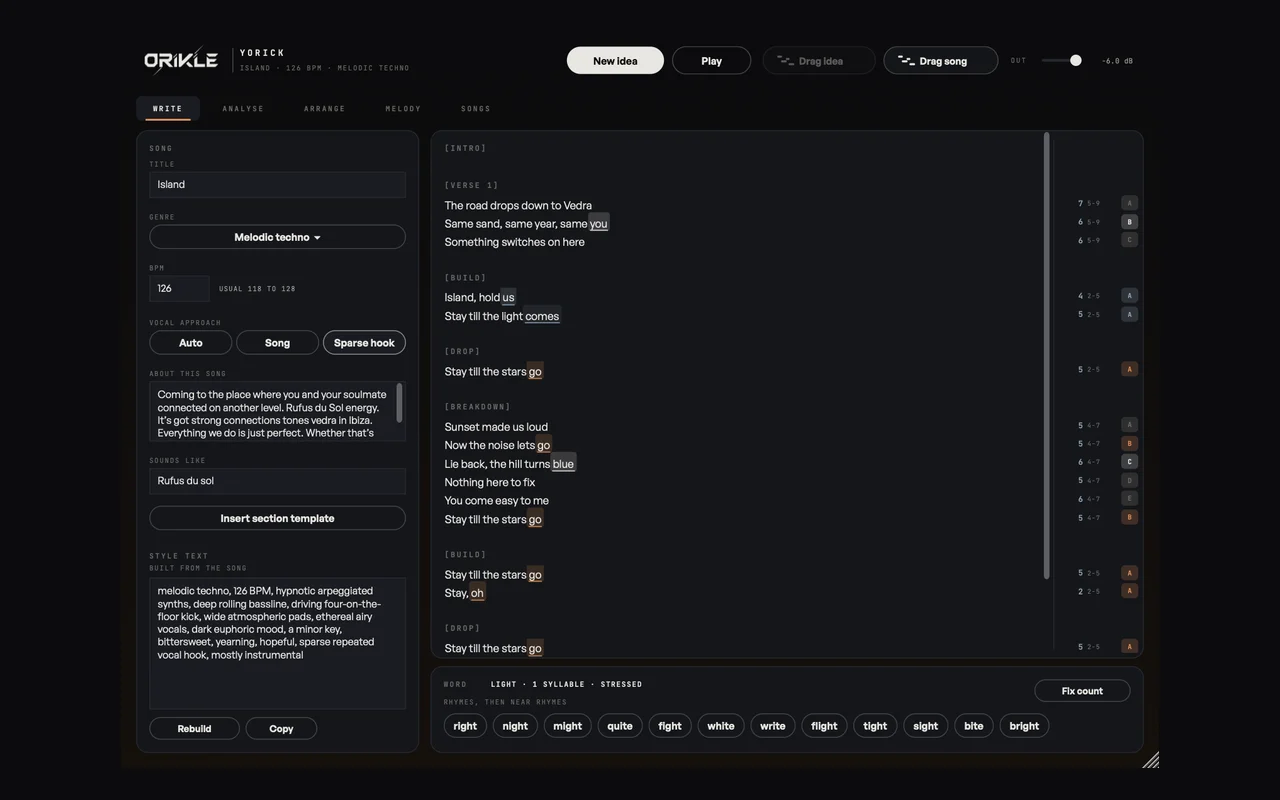
- Write: the lyric, with each line’s syllables counted against the genre’s sweet spot, its rhyme letter, and end rhymes shaded in matching colours. Put the cursor on a word for its stress, rhymes and near rhymes, and click one to swap it in.
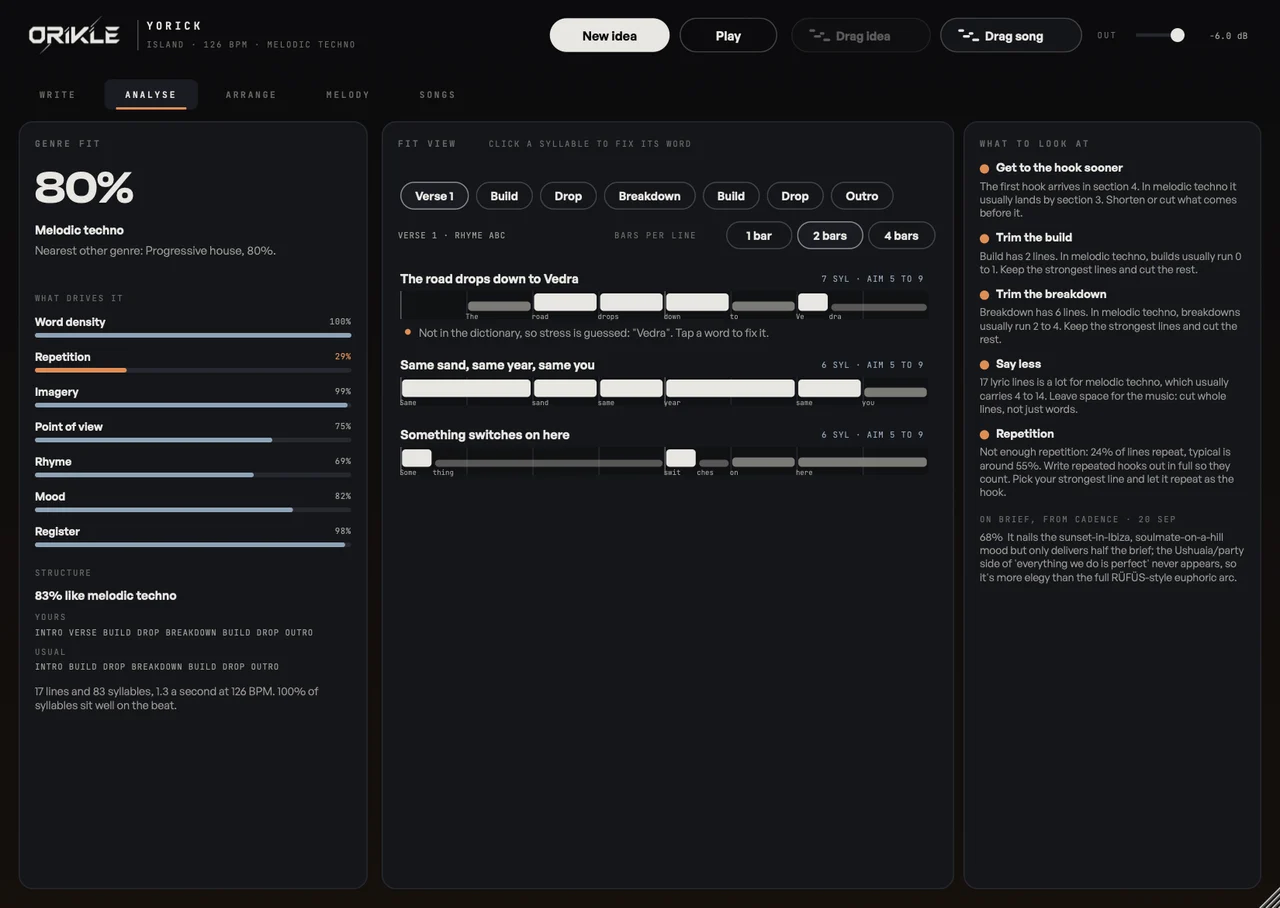
- Analyse: genre fit and what drives it, the structure against the genre’s usual one, and the fit view, which puts every line of a section on the beat grid. Stressed syllables that land off the beat get flagged, so you fix the scansion before you sing it.
- Arrange: the arrangement timeline with energy and each instrument’s level, section cues, and a key card with a key that suits the lyric’s tone and its chords.
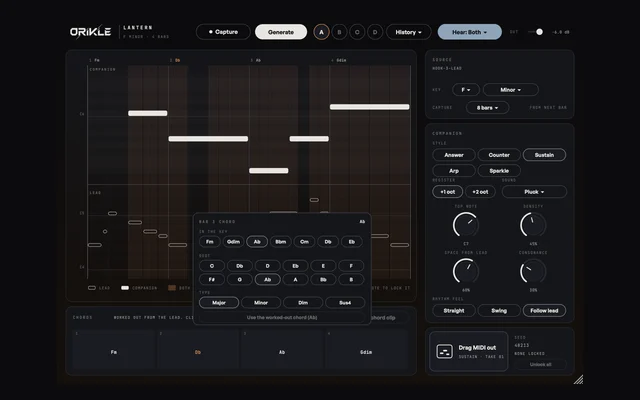
- Melody: hooks, build and drop, full groove, lead, pluck, arp, keys, pads, bass and vocal toplines, over the song’s chords. Wildness and Energy shape them, bars can be locked, and Like and Not for me teach it your taste.
- Songs: every song saved with the project, and import and export to Cadence.
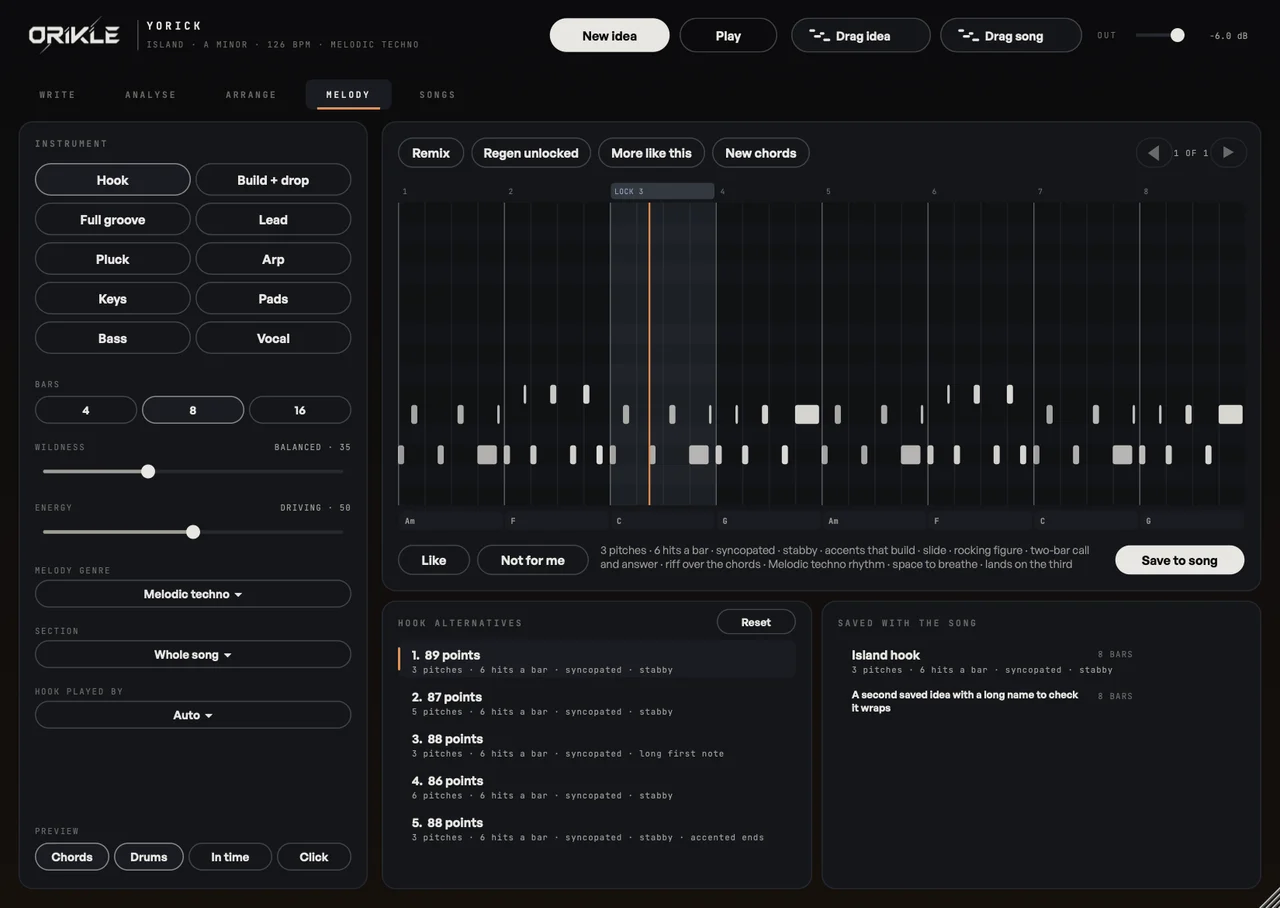
Drag idea gives you every part on its own MIDI track, with the chords, section markers and lyrics on the vocal notes. Drag song gives a vocal topline for the whole arrangement, each section at its own bars.
Talking to the skull
If you use Claude, it can work on the song through a small local server. Ask it to tighten the breakdown or make a hook with a different feel, and the change appears in Yorick about a tenth of a second later. It keeps the last 20 versions of every song, works only inside the song folder, and has no network access. It is optional, and nothing in Yorick depends on it.
The benefits
- Words that fit the beat before you sing them. The fit view catches the stress on the wrong beat while it is still text.
- Lyrics and music in one place, in time with Ableton, reading its tempo, key and position.
- Melodies that respect the words, because they are written over your chords and around your syllables.
- Phone to studio and back. Start a song on the train in Cadence, finish it in Ableton, and every field travels.
- No subscription in the way. It all runs on the Mac.
How I use it on a track
I write the chorus in Cadence wherever I am, drop the song file into Yorick, and check the fit view at the track’s real tempo. When a line stumbles I swap a word for a near rhyme with the right stress. Then a hook from the Melody page, a few rounds of Like and Not for me, and Drag idea straight onto tracks.
The honest bit
Genre fit is a guide, not a target. If the analysis says a line is long and you love how it spills over the bar, keep it. Yorick knows the rules. You get to decide which ones are worth breaking. To be or not to be is still your call.
Questions about Yorick
+ What does ORIKLE Yorick do?
It is a songwriting plugin for Ableton Live. You write or import lyrics and see each line's syllables, stresses and rhymes against the genre's sweet spot, lay every line on the bars and beats, plan the arrangement and key, and generate hooks, leads, basslines, arps, pads and vocal toplines that fit the words. Ideas drag out as MIDI, with lyrics on the vocal notes.
+ Does Yorick need the internet or an AI subscription?
No. Everything it does runs on your Mac. If you use Claude, it can work on the song through a local MCP server and you see the changes in Ableton as they happen, but that is optional.
+ Does the melody maker copy existing songs?
No. It aims for memorable but original ideas, follows your chords and your lyric's stresses, and learns your taste from Like and Not for me. It never copies published melodies.
+ Can I buy Yorick?
Not yet. I built it for my own records. DM the word YORICK to @orikle_music on Instagram if you want to know more or try it.